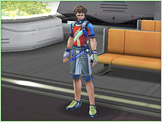
PHANTASY STAR UNIVERSE Ambition of the Illuminus Online Manual
PHANTASY STAR UNIVERSE Online ManualControls
Character Creation
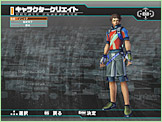
"Character creation" lets you create the character who will be your alter ego.
Four character slots are shown. At first they are all empty, so choose any slot. When you continue playing later, select the character to use on this screen.
You can also delete a character you have created and create a new one.
- Once a character is deleted, all of its data is lost for good. It cannot be restored, so be very careful.
How to create a character
You can set race, gender, face, build, clothing, voice, name and more. Select items with [↑] [↓] and set them with [←] [→]; when you are done, select "Next" to go to the next screen.
While setting, you can zoom in / out on the character with [Ctrl] + [↑] [↓] (except when setting race and gender), and rotate them left and right with [Ctrl] + [←] [→].
- STEP1
-
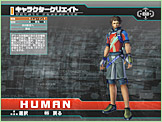
Set race and gender.
Select race and gender.
If you choose CAST, some of the later setting items differ from the other races.
- STEP2
-
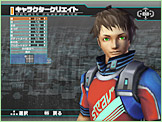
Set face and build.
Set each part of the face, the bodysuit, skin color, proportions and more. For some items you can fine-tune shape and color with [Shift] + [↑] [↓] [←] [→].
- STEP3
-
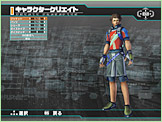
Set clothing and voice.
Set clothes (parts for CASTs) and voice. The voice is used for short shouts and the like.
"Voice type" sets the kind of voice and "Voice pitch" sets how high it is; press [Space] to play either.
- STEP4
-
Set the name.
Set your character's name. You can enter up to 12 full-width or 30 half-width characters.
- STEP5
-
Check the settings and finish.
Check all your settings.
If you are happy with the settings, select "Finish" and press [Enter] to complete them.