PHANTASY STAR UNIVERSE Ambition of the Illuminus Online Manual
PHANTASY STAR UNIVERSE Online ManualGC (Guardians Cash)
Boost items
"Boost items" are items that raise the player's stats, item drop rate and so on for a set time.
Boost items of every effect and type are untradeable and cannot be traded with other players.
A boost item's effect starts as soon as you use it.
While a boost item that raises a stat is active, effects such as technics that would lower that stat are nullified.
- Boost items basically only affect the character who used them. They have no effect on other party members or on your other characters.
However, everyone in the party benefits from items that raise the drop rate.
How to use boost items
- STEP1
-
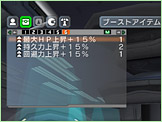
Select a boost item.
Open the boost item category in the list window and select the boost item to use.
- STEP2
-
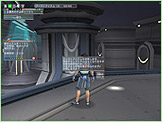
Confirm the boost item to use.
Selecting "Use" shows a notice.
Check the item and the notice, and if you are happy to use it, select "Yes".
- STEP3
-
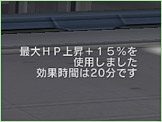
Effect starts
When you use a boost item, its name and duration are shown on the right of the screen.
- STEP4
-
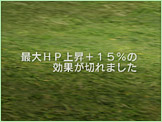
Effect ends
When a boost item's effect runs out, the name of the expired item is shown on the right of the screen.
Unlike other consumables, boost items can also be used in lobbies and My Room.
- You can use up to 10 kinds of boost items at once. Effects from items or technics with the same effect cannot stack or overwrite each other.
You also cannot use a boost item with the same effect while one is active. - A boost item's remaining time does not decrease while you are logged out. However, while you are logged in it decreases even in My Room and lobbies.
Checking boost items
You can check the boost items in use under Character Info / Status in the Main Menu.
 ▲ Status screen with boost items in use
 ▲ Text shown on the right of the screen
The status screen shows the following information.
- Items in use / maximum usable
- Boost item name
- Remaining time
When you use a boost item, and when its effect runs out, text is shown on the right of the screen.
About increased Mission Points

When you use a boost item that increases the Mission Points you earn, the Type experience bar on the results screen blinks.
How boost item effects are applied
Each mission has its own multipliers for item drop rate, experience earned, PA experience and so on. (Most missions are set to 1x.)
These multipliers are not disclosed for most missions.
In some missions the multiplier also changes partway through.
Boost items that raise the drop rate, experience earned or PA experience are "added" to each mission's multiplier.
- (Example)
-
- If you use "EXP earned +50%" in a normal mission (1x experience), 1 + 0.5 = 1.5, so 1x rises to 1.5x.
- If you use "EXP earned +50%" in a mission with 2x experience, 2 + 0.5 = 2.5, so 2x rises to 2.5x.
About the drop rate multiplier
Only boost items that raise the item drop rate affect every party member.
If several party members use boost items that raise the drop rate, the effect is their combined total.
- While a boost item is raising the drop rate, drop rate increases from the "party leader's Star Spirit Fortune" and "GBR" still apply.
- Drop rate increases from "boost items", the "party leader's Star Spirit Fortune", "GBR" and so on affect the drop rate of items from monsters and containers.
They do not affect mission rewards, item exchange missions, GC Gachan or Stamp Gachan.
They also do not affect the element or element percentage of dropped items.
About missions with a special multiplier
If you use a boost item while playing a mission with a special multiplier, the effect may be even higher than in a normal mission.
- The special multiplier itself applies whether or not you use a boost item.