PHANTASY STAR UNIVERSE Ambition of the Illuminus Online Manual
PHANTASY STAR UNIVERSE Online ManualGC (Guardians Cash)
GC Shop
In the "GC Shop" you can spend GC to buy special items or play "GC Gachan".
You can use the GC Shop by talking to the NPC "Horloop Dens" in the Guardians HQ Supervision Room and accepting the mission.
- STEP1
-
Talk to the NPC.
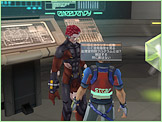
Talk to the NPC "Horloop Dens" at the front of the Guardians HQ Supervision Room.
When the choices appear, select "Start GC counter" to start the mission counter.
- STEP2
-
Select a mission.
Select "GC Shop" at the mission counter and start the mission.

- STEP3
-
The "GC Shop" starts.
Select "GC Shop" to see the product list.
Select "Notes" to see the notes.
- Be sure to read the notes before using it.

- STEP4
-
Select a product.
The product list is shown. Check the items included in each product and select the one you want.
For GC Gachan, see here.

- STEP5
-
Pay.
The GC required and your GC after purchase are shown.
If the product name and other details are correct, select "Yes".

- STEP6
-
The items go into your inventory.
GC is spent and the purchased product is added to your inventory.
You also receive service coupons at the same time. For service coupons, see here.

- If you try to buy with no free space in your inventory, a warning is shown and no GC is spent. In that case, end the mission, free up inventory space, and start again from STEP 1.
- Before buying a product, always check the GC required and the product name. GC cannot be refunded after purchase.